

Business, workplace and economy
Learn how to register your business, apply for funding and tax credits, and get free help to start your business.
Start and run a business

Start a business
Learn how to:
- choose your business structure
- register your business name in Ontario
- set up an Ontario business number for business tax purposes

Get a custom guide
Answer a few simple questions and get a downloadable custom guide to starting your business. For example:
- business registration
- getting an HST number
- setting up payroll and benefits
- permits, licensing and insurance

Check your permit or licence application status beta
Introducing a new unified experience for monitoring the progress of select provincial permits and licence applications.
Get support
Permits and licences
Find out what permits and licences are required for your business, based on your location, industry and business activities.
Find out how long it takes to process business permits and licences per ministry and method of request.
Close or transition your business
Learn about succession planning, develop a succession roadmap and access free resources at Succession Ontario.
Investment needs
Talk to a business consultant at Invest Ontario for your investment needs.
Free legal advice
Pro Bono Ontario provides free legal advice to small business owners over the phone.
Call toll-free within Ontario:
Indigenous resources
Access the Indigenous business development toolkit for support on starting and expanding your business. In the toolkit, you can find:
- a list of Indigenous financial institutions that can help you plan your business
- instructions on how to bid on government contracts that benefit Indigenous people and communities
For practical advice, case studies and economic development resources to boost the local economy in your community, read the First Nations community economic development guide.
Technology and innovation centres
Visit a Regional Innovation Centre for programming and services to grow your innovation and technology company.
Join the “Ontario Made” program
Register as a manufacturer or retailer with Ontario Made. You’ll be listed on their business directory and get access to promotional materials, such as the “Ontario Made” logo.
Find a Small Business Enterprise Centre near you
They provide advisory services and workshops that equip businesses with foundational entrepreneurship skills and continuing supports, including training, mentorship and grant opportunities.
See a full list of locations.
Funding opportunities
Ontario has a number of funds available for business and not-for-profit entrepreneurs. Depending on the type of business or not-for-profit you want to run, you may be eligible for programs and funding:
- Indigenous economic development — support for business, employment and training for Indigenous peoples
- Start a summer business — money and advice for students
- Business advisory services for small and medium-sized businesses — advice, support and grants
- Starter Company Plus — training, mentoring and grants for starting, expanding or buying a small business
- Futurpreneur — financing, mentoring and support for aspiring business owners aged 18–39 to start, buy and grow a businesses
- Canada-Ontario Job Grant Program — funding to support training or workforce development needs
- Women’s Economic Security Program — entrepreneurship training programs for low-income women’s self-employment
- Racialized and Indigenous Supports for Entrepreneurs
(R.A.I.S.E) — funding to support Indigenous, Black and other racialized entrepreneurs - Protect Ontario Financing Program — eligible Ontario companies impacted by tariffs can get financial support to help cover everyday expenses (working capital)
- Trade-Impacted Communities Program — support for communities and local industries in Ontario to navigate significant economic challenges caused by U.S. trade disruption
- Digitalization Competence Centre — help for businesses to adopt digital tools into their operations
- Ontario Creates — services and funding for Ontario’s creative industries
- Ontario Made Manufacturing Investment Tax Credit — support for investments in buildings, machinery and equipment used for manufacturing or processing
- Ontario Together Trade Fund — support for Ontario businesses facing U.S. trade disruptions to help them grow local supply chains, expand markets and protect jobs
- Rural Ontario Development Program — provides funding for projects that help rural businesses
View a full list of funding opportunities available to businesses and not-for-profits.
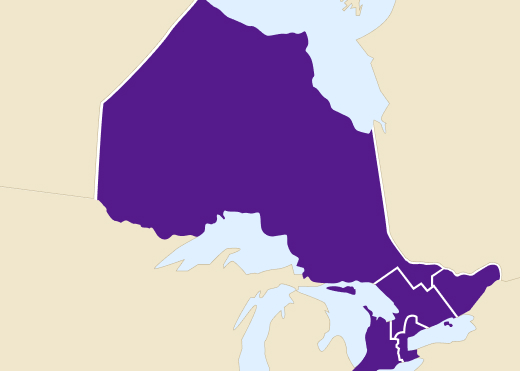
Programs by region
Get support to expand or bring business to your community:
Workplace rules and regulations
Understand your obligations as a business owner, and the rights and responsibilities of employers and employees in Ontario.
Download this information in 24 languages.
Employment Standards Act
Learn the rules about minimum wage, hours of work limits, termination of employment, job-protected leaves of absence and more.
Occupational Health and Safety Act
Learn about everyone’s rights and duties in the workplace, and how to deal with workplace hazards.
Learn about small business health and safety responsibilities and how to get help keeping your workplace safe.
Before starting specialized work (work that involves a trench, window cleaning, tunnelling, asbestos removal or diving) you must file a work notice to protect the health and safety of your workers.
Accessibility laws
Laws and standards are in place to make Ontario more inclusive for everyone.
- Get free training about Ontario’s accessibility laws.
- Learn about accessibility requirements and standards for your business.
- How to complete an accessibility report for a business or non-profit with 20 or more employees.
Consumer protection information for businesses
Learn how to comply with consumer protection laws and avoid consumer complaints.
Agriculture and food laws
Agri-food businesses must comply with food safety and agriculture laws. Meat plants must apply for a licence and follow specific acts and regulations related to meat processing.
Environmental permissions
Learn about the different types of environmental permissions you or your business may need and how to apply for each.
Animal welfare
Businesses with animals on the premises must comply with the Provincial Animal Welfare Services Act.
Commercial vehicles
Learn how to get what you need to operate commercial vehicles, such as trucks or buses.
Ontario’s Building Code
Learn more about Ontario’s Building Code so your business can meet all required building regulations in Ontario.
Workplace rules and regulations information sheet
Understand your obligations as a business owner, and the rights and responsibilities of employers and employees in Ontario.
Download this information sheet in 24 languages:
- Arabic
- Chinese (Traditional)
- Chinese (Simplified)
- English
- Farsi
- French
- Gujarati
- Hindi
- Italian
- Korean
- Igbo (Nigerian)
- Oji-Cree
- Polish
- Portuguese
- Punjabi
- Russian
- Serbo-Croatian
- Spanish
- Tagalog
- Tamil
- Thai
- Turkish
- Urdu
- Vietnamese
Insurance
Workplace insurance
Find out if you need insurance for wage-loss benefits, medical coverage and support after a work-related injury or illness.
Business insurance
Protect against loss or damage to physical property, or the loss of your business’s ability to operate and generate income.
Taxes
In order to file business taxes and deduct payroll, you need a Business Number (BN). If you don’t have one already, learn how you can get a Business Number.
List of Ontario taxes
Learn about the different taxes that apply in Ontario, including corporations tax.
Harmonized Sales Tax
Learn more about the Harmonized Sales Tax (HST), see what items are subject to a point-of-sale rebate, and claim a rebate.
Employer Health Tax
You may have to pay the Employer Health Tax (EHT) if you have employees. Find out if you have to register for the EHT.
File taxes for free
Manage your tax account, returns, payments, and refunds for free online at ONT-TAXS.
Tax credits and refunds
Explore different Ontario tax credits that your business can claim.
Export and trade
Find services and support to help make exporting and trading easier or grow your business by selling products outside Ontario and Canada.
Events
Search upcoming international trade programs and events by sector and market region. Find trade missions, exhibitions, seminars, and workshops for Ontario businesses looking to export outside Canada.
Resources
Explore resources to help grow your exporting business such as market research, funding support, and insurance.
Contact
- an export advisor to get your business ready for new markets
- an international market consultant to target specific regions
- the Ontario Investment and Trade Centre to book meeting spaces to cater events
Help us better serve entrepreneurs and businesses
We value your feedback. Please take 2 minutes to let us know how we can improve our business and service information to best support you.