

Appeal a decision
Prescribers, delegates, and designates can appeal an EAP decision through SADIE to provide additional relevant clinical information when a notice of decision has been issued and a request has not been approved.
For more information on requesting appeals, see the SADIE User Guide, Chapter 18. Videos and other supports can be found at SADIE Training Aids.
Steps to appeal a decision
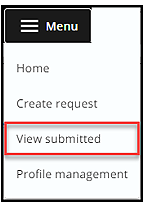
Step 1: Click the Menu button found in the header at the top of all SADIE pages and then click on View submitted.
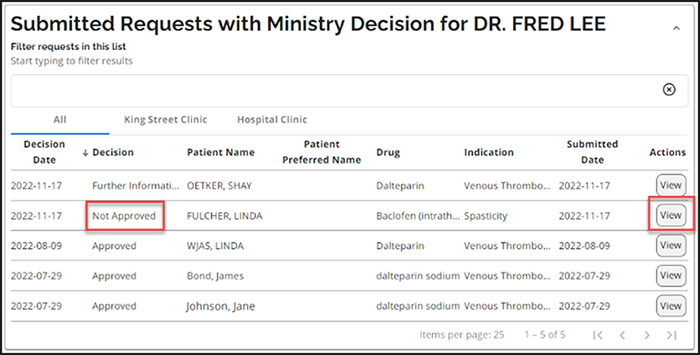
Step 2: Click the View button for the request with a ‘Not approved’ decision in the Submitted Requests With Ministry Decision list.
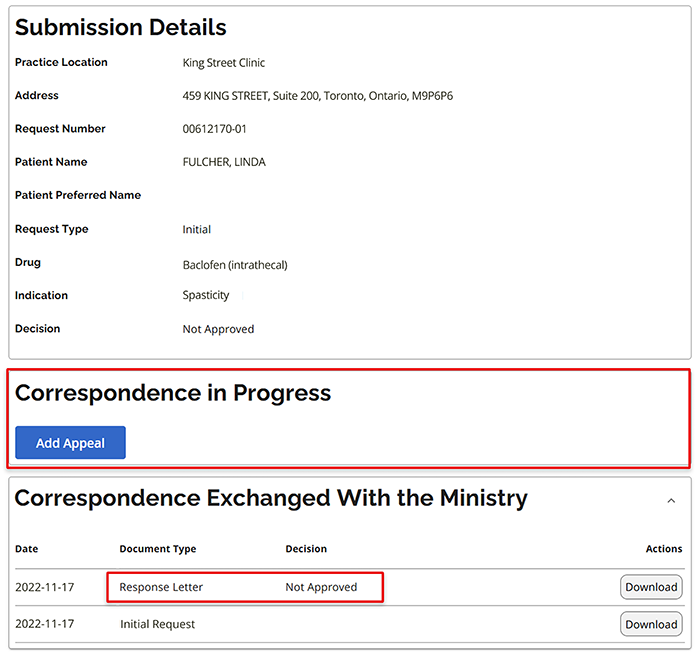
Step 3: Click the Add Appeal button in the Correspondence in Progress section.
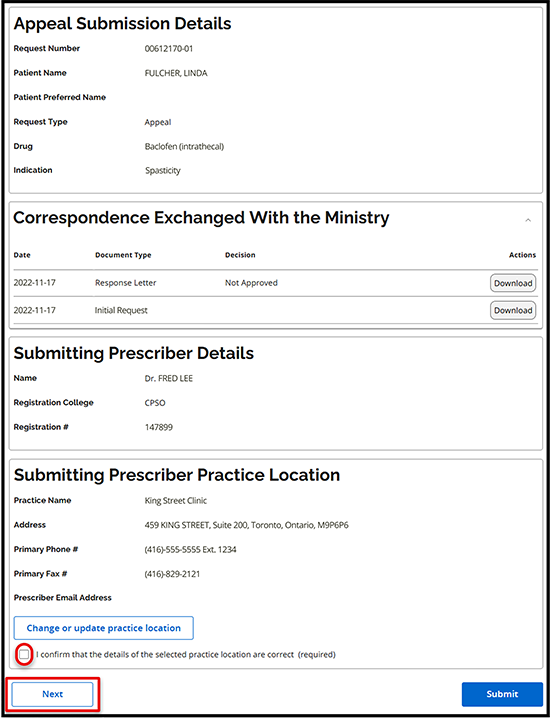
Step 4: The Appeal Submission Details Summary tab displays. Confirm practice location details and then click the Next button.
Step 5: The Appeal tab displays. Type in appeal details or paste from another document and/or add attachment(s), then click the Next button.
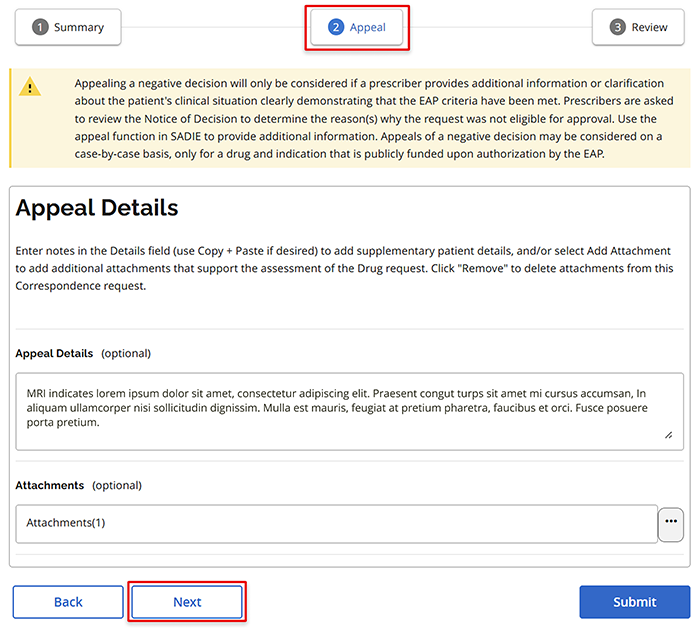
Step 6: The Review Tab displays: review the information, and to continue click the Submit button. Prescribers and delegates can continue to #Step 7.
Note that designates will see a Send to Prescriber button instead.
- When a designate clicks the Send to Prescriber button, the appeal displays on the SADIE home screen in the Requests Ready to Submit list for the prescriber or delegate to review and submit to EAP.
Step 7: The Submitting Terms and Conditions page displays: if in agreement, click the Accept button.
Step 8: The Request Submitted window appears. Download or view the request summary (optional) or close the window.
Once the window is closed, the Submission Details screen is updated with the appeal.
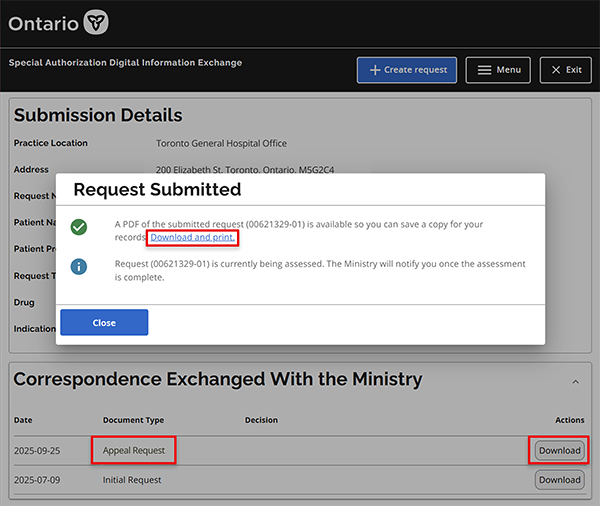
A copy of the submitted appeal is available to view/download at any time in SADIE from the Submitted Request Awaiting Ministry Decision list, by clicking the Menu button found in the header at the top of all SADIE pages and then clicking on View submitted.
Note: It can take 1 - 2 minutes for the submitted request to appear in the list.
Contact us
General inquiries:
Technical support:
SSContactCentre.MOH@ontario.ca
Monday – Friday 8 a.m.– 5 p.m.