

Access SADIE
How to access SADIE via EMR
Available only to prescribers (doctors and nurse practitioners) using community-based EMR systems.
In order to access SADIE via EMR, an electronic medical record (EMR) system with a ONE ID toolbar and the SADIE update is required (ask your EMR vendor).
Step 1: From your patient’s EMR chart, go to the section of your EMR where you launch Provincial EHR Products or Contextual Lauch Services (such as Clinical Connect or DHDR).
Step 2: Click the “SADIE EAP” button or link (will look different among EMR vendors).
Step 3: SADIE will launch in a separate window. If you have recently logged into ONE ID, no additional login or user credentials are required; otherwise, you will be prompted to use your ONE ID username and password.
Step 4: The SADIE Home Page displays. Begin creating EAP requests.
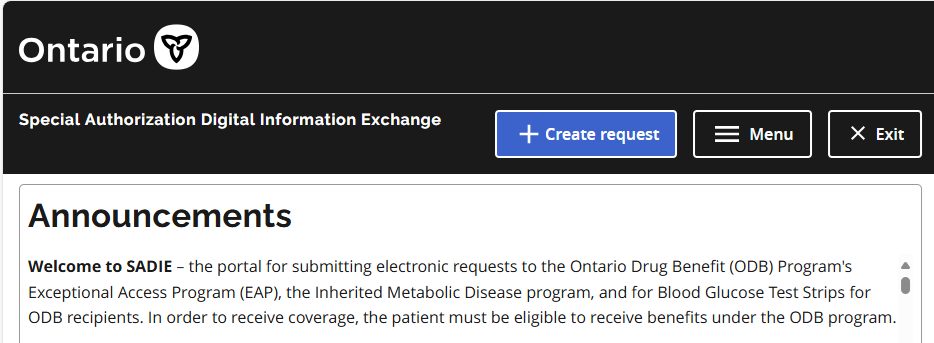
For instructions on how to use SADIE, refer to the SADIE Training Aids webpage.
How to access SADIE via OPS BPS Secure
Prescribers:
- Register for an OPS BPS Secure account, you will require two Unique Identifiers for registration.
Delegates and Designates:
Once OPS BPS Secure registration (and SADIE set-up, for delegates and designates) is complete
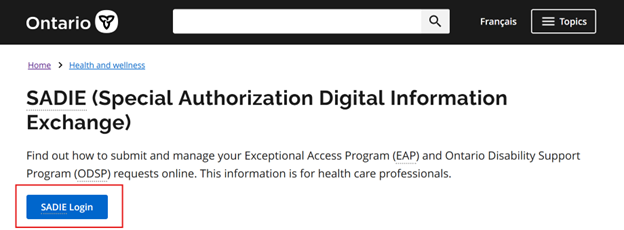
Step 1: Visit ontario.ca/SADIE, and click the SADIE Login button.
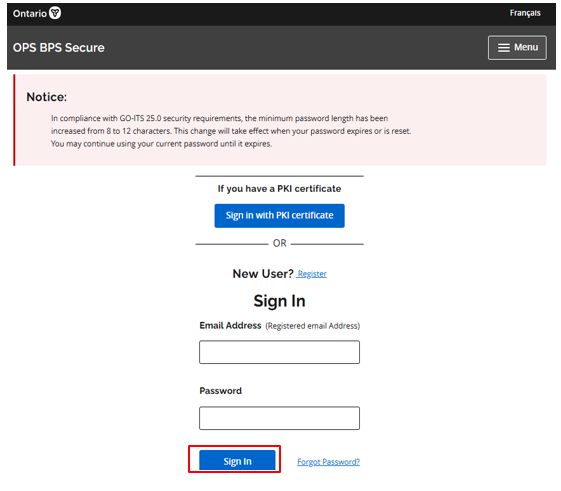
Step 2: On the OPS BPS Secure Log in screen enter your ID (your OPS BPS Secure email address), password and click the Sign In button.
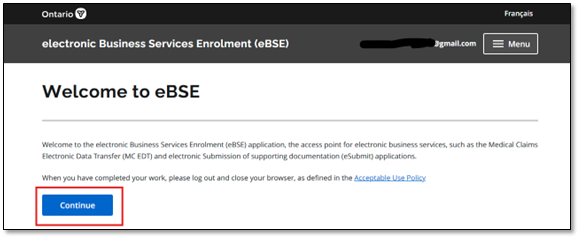
Step 3: Click the Continue button on the Welcome to eBSE screen
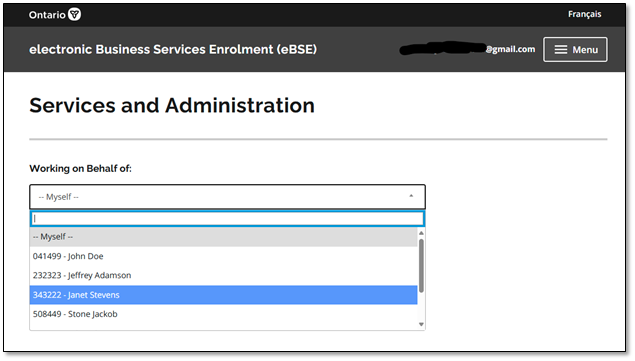
Step 4: (Delegates and designates only): Select the prescriber you are supporting from the Working on Behalf of drop-down menu.
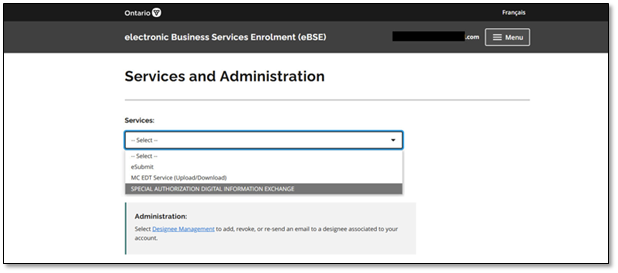
Step 5: From the drop-down Services menu, select Special Authorization Digital Information Exchange
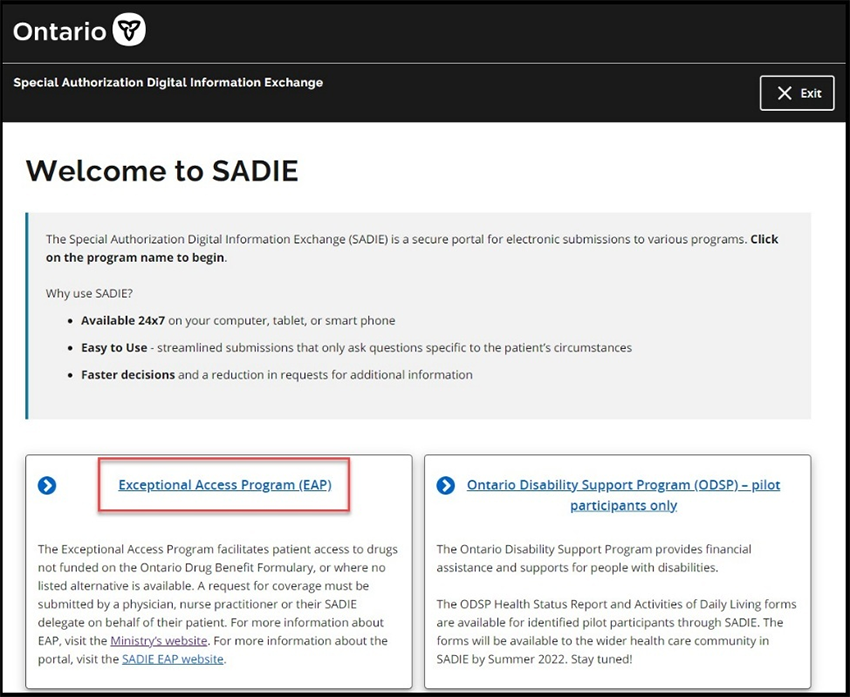
Step 6: From the Program Selection screen, select Exceptional Access Program (EAP), then review the SADIE Acceptable Use Policy. If you agree, click the Accept button.
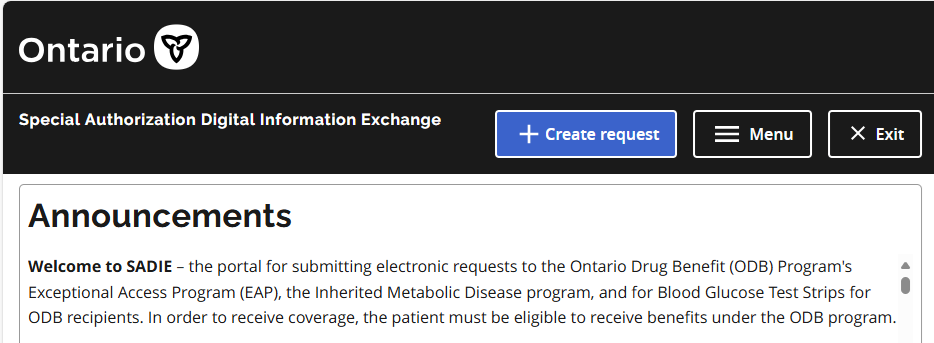
Step 7: The SADIE Home Page displays. Begin creating EAP requests. For instructions on how to use SADIE, refer to the SADIE Training Aids webpage.
Contact us
General inquiries:
Technical support:
SSContactCentre.MOH@ontario.ca
Monday – Friday 8 a.m.– 5 p.m.